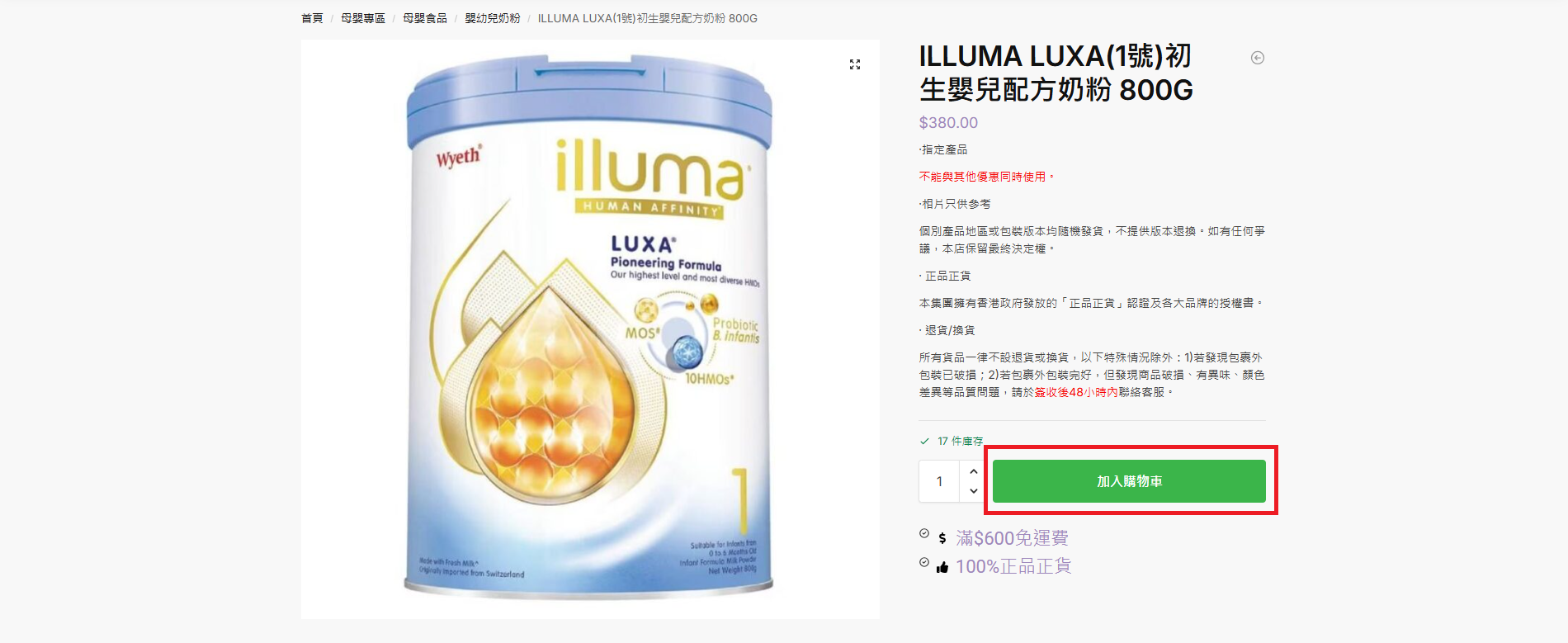
Add to Cart
Shopping instructions
1. Click the “Add to Cart” button.
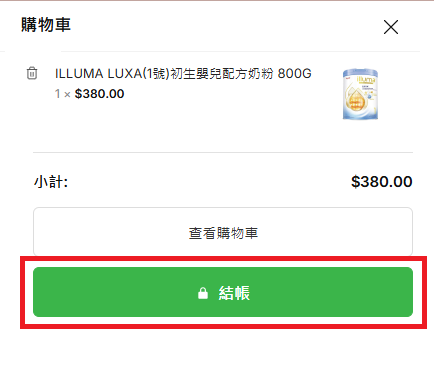
2. Click the shopping cart icon in the upper-right corner to open a small window showing the items in your cart.
3. Click “Checkout” in the window to proceed to payment.
結賬
Checkout instructions
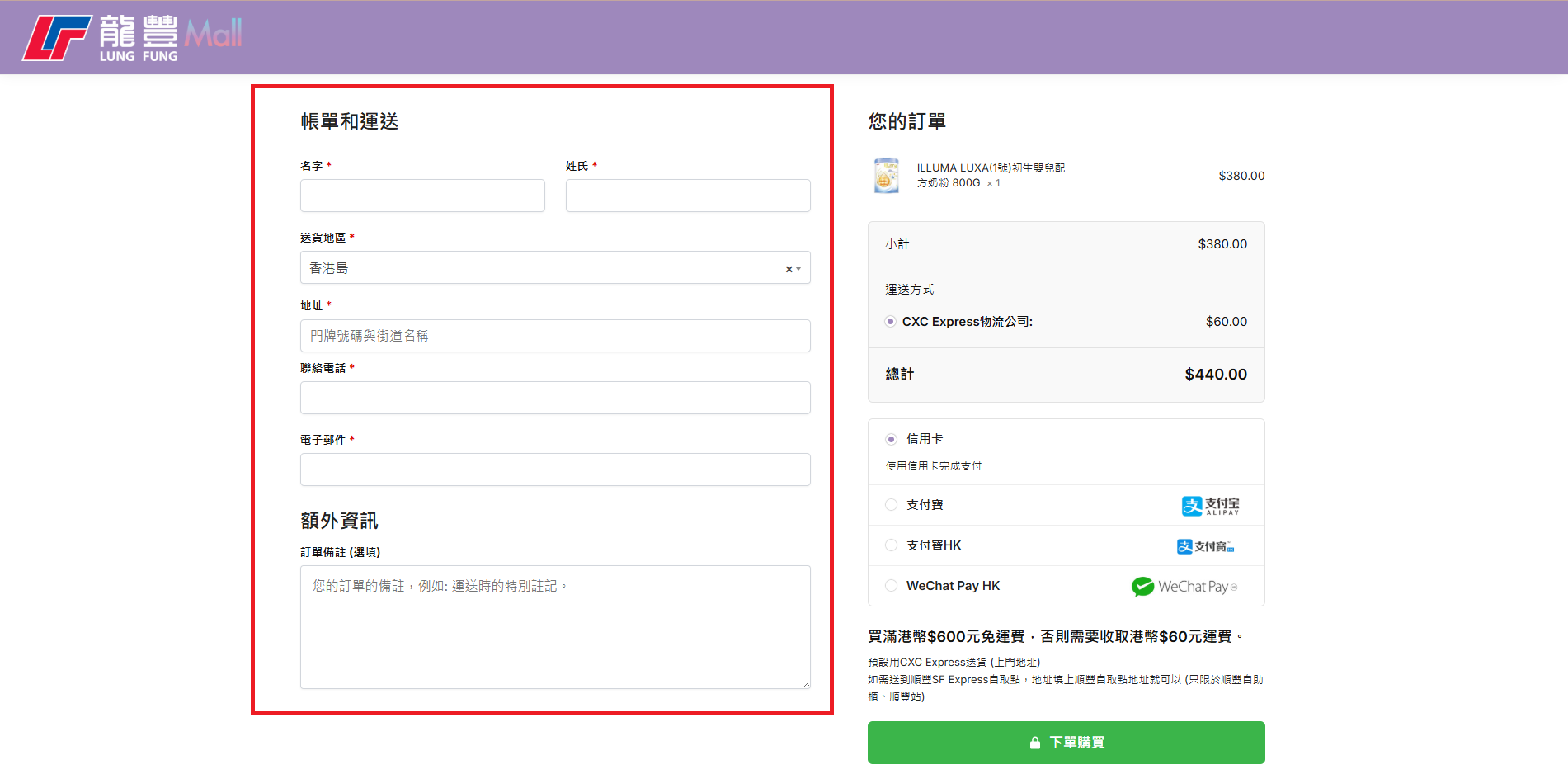
1. Delivery information:
Enter the delivery information.
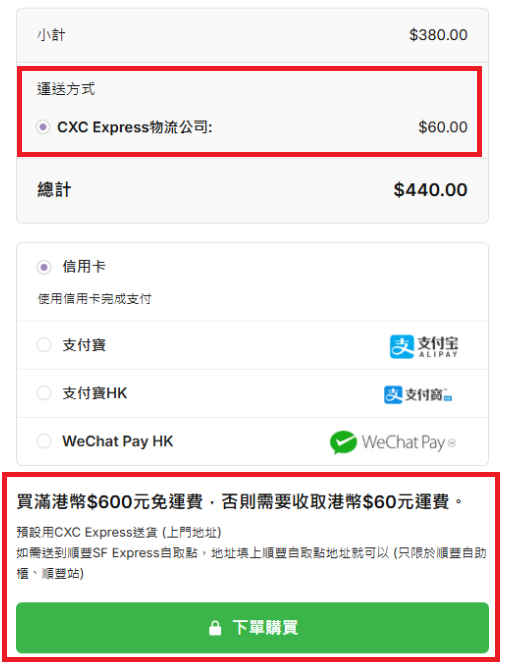
2. Delivery method:
The shipping options will be automatically updated based on the total order amount. Free shipping is available for orders over HK$600, while orders under HK$600 will incur a HK$60 shipping fee.
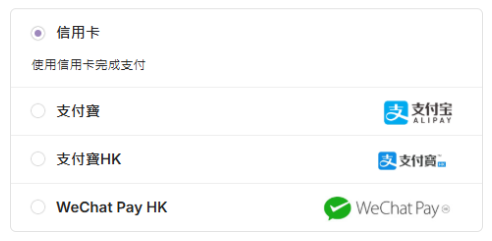
3. Payment method:
Currently, we support the following online payment methods.
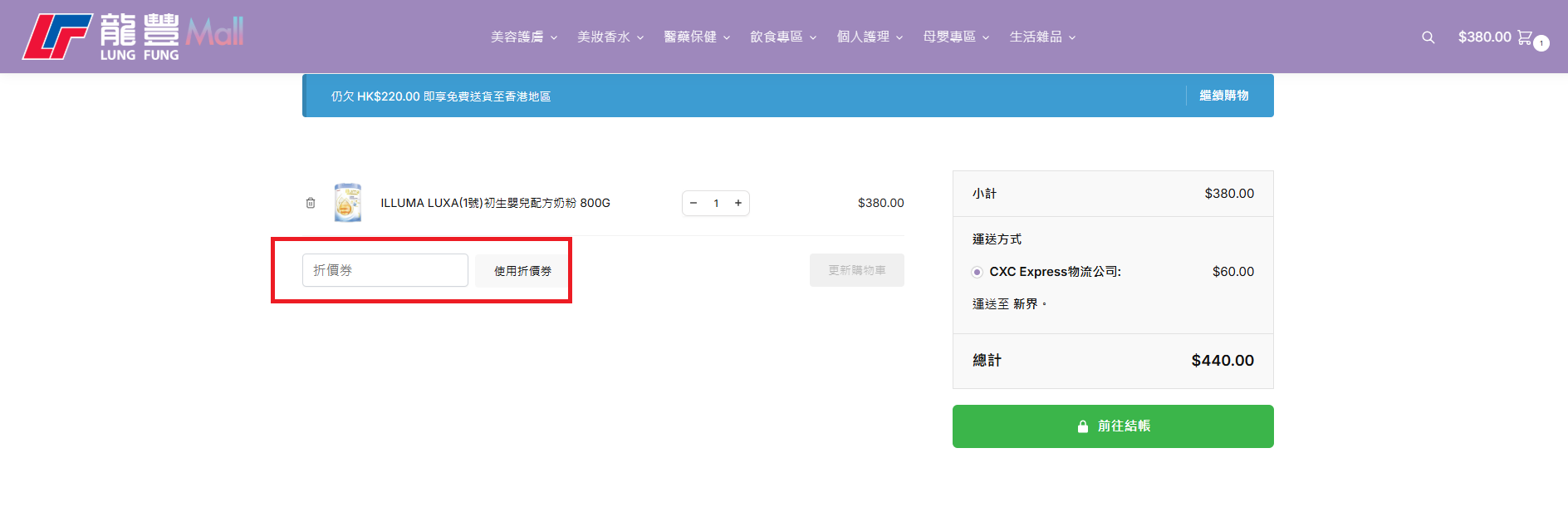
4. Discount codes:
To use a discount code, enter it in the “Coupons” section on the shopping cart page and click “Use Coupon”.
5. Do not close the webpage before completing the transaction. If a transaction fails, the shopping cart will be emptied, and you will need to add the items back to the cart.
Payment failed?
1. Credit card transaction failed:
Please contact your credit card issuer for assistance.
2. WeChat Pay transaction failed:
We recommend opening the website on a computer and then scanning the QR code with your mobile phone. Please ensure that you scan the QR code within a short period of time, otherwise the QR code may become invalid.
3. Alipay transaction failed:
It is not recommended to use WeChat’s built-in browser to open websites and make Alipay payments (WeChat’s built-in browser does not support Alipay).
If you have any questions, please contact our customer service via Whatsapp (852) 6932 5937 for further assistance.